Hairline Design Software Built for Transplant Surgeons
Capture five guided angles, confirm the donor budget, then design the hairline shape, height, and temple corners your patient will actually see. The studio renders an identity-preserving preview of the plan from every angle — live in the consultation, not days after it.
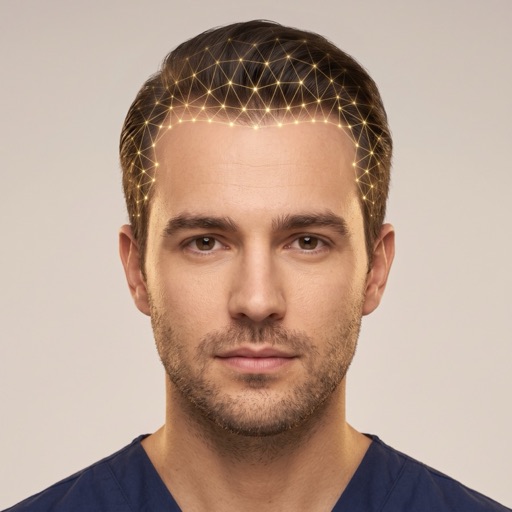
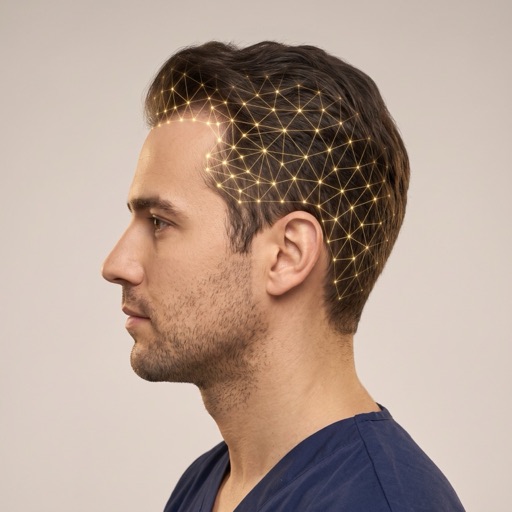
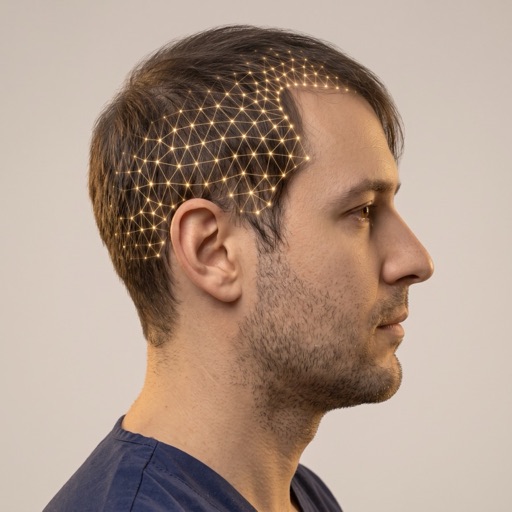
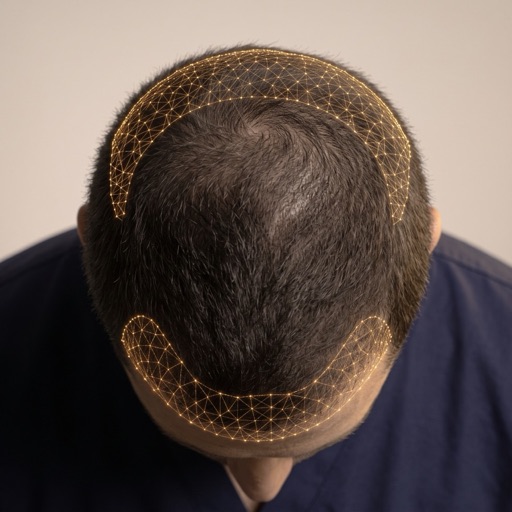
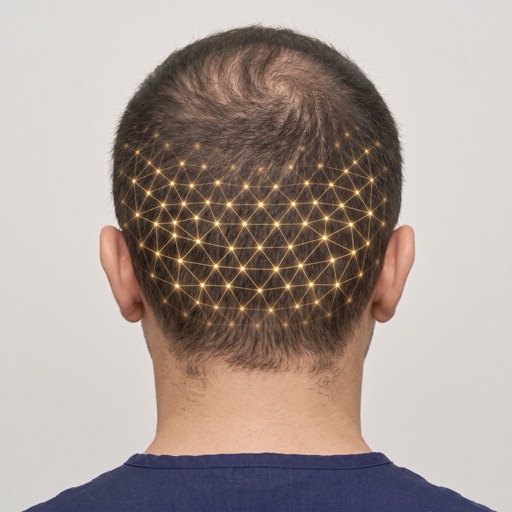
A complete hairline design workflow, not a filter
Every step a surgeon takes on paper — donor assessment, hairline placement, temple framing, graft budgeting — exists as a control in the studio, and every choice is reflected in the rendered preview.
Studio capabilities
The design vocabulary
What is hairline design software?
Hairline design software lets a clinic design a patient's new hairline digitally and show a photorealistic preview before surgery. Glow50x Advanced Hair Studio captures five guided angles, runs an AI donor and Norwood analysis to set a safe graft budget, then applies your hairline shape, height, and temple-corner choices to identity-preserving renders of every angle — all inside the consultation.
How it works in your consultation
Standard consultation photos from any phone or camera — no special hardware.
The engine maps the anatomy and constraints before any pixel is generated.
Identity-preserving previews generated during the consultation, not after it.
Before/after previews and reports the patient can review with your team.
Built for clinical trust
- Identity preservation is checked automatically — every render is verified to still look like your patient before it reaches the consultation.
- Quality gates reject renders that drift from the requested plan instead of showing them to patients.
- Runs on standard clinic photos — no 3D capture hardware to buy or calibrate.
Glow50x simulations are visual previews that support consultation conversations. They are not medical advice and do not guarantee surgical or treatment outcomes.
Frequently asked questions
What is the Advanced Hair Studio?+
The Advanced Hair Studio is Glow50x's flagship hairline design software for clinics. It guides your team through a five-angle photo capture, runs an AI donor and Norwood analysis, and renders identity-preserving previews of the planned hairline from every angle for the consultation.
Which hairline styles can I design?+
You choose the hairline shape — M-shaped, bell-shaped, straight, widow's peak, round, or oval feminine — plus the hairline height from conservative to aggressive low, the temple-corner style, and a soft-natural or dense-sharp finish. The engine applies one coherent design across all five angles.
How does the donor analysis work?+
Before any design, an AI analysis of the patient's photos classifies the Norwood stage and estimates a conservative single-session donor graft budget. That budget caps the graft count in the design, so previews never promise more coverage than the donor area can realistically supply.
Why does it need photos from five angles?+
Hairline results are judged from every direction, so the studio requires front, left, right, top, and back photos before designing. A guided wizard shows correct and incorrect pose examples for each angle and automatically rejects blurry or badly lit shots, so every render starts from usable input.
Will the preview still look like my patient?+
Yes. Every render passes an automatic identity-preservation check before it reaches the consultation, and quality gates reject frames that drift from the requested plan. Previews support the consultation conversation — final surgical results always depend on technique and patient biology.
How much does hairline design software cost?+
Glow50x is a flat monthly subscription with no per-patient fees. Hairline design lives in the Advanced Hair Studio — included on the Practice and Complete plans, or a $100/mo add-on on a single-module plan starting from $225/mo billed annually ($299 month-to-month).
Design a hairline your patient can actually see
Plans start at $225/mo. Every plan includes branded patient reports, PDF export, patient records, aftercare and 13 languages.